Knowtion allows users to organize virtual meetings.
Click the camera icon on the top navigation
To create a new meeting:
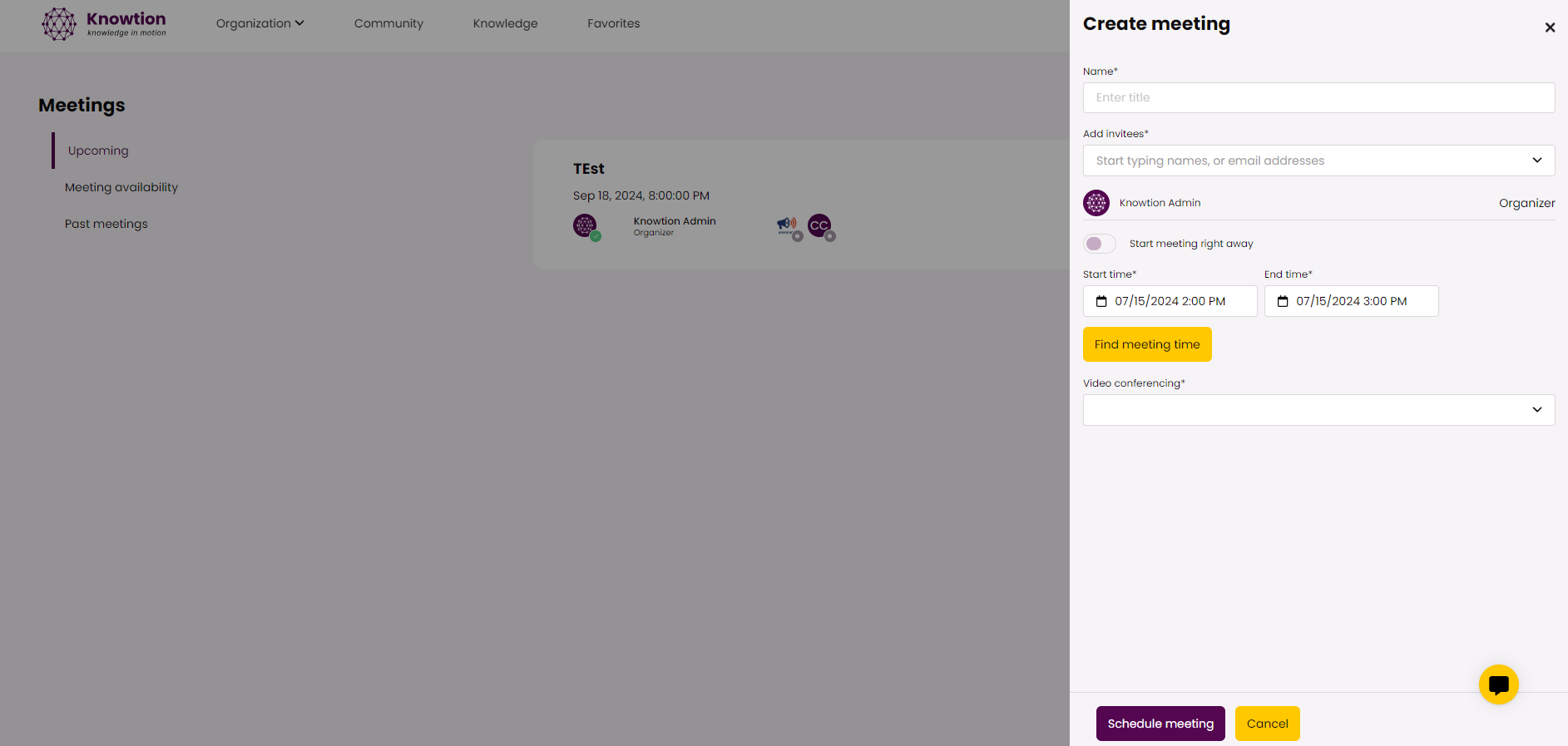
Click 'Create meeting'
Input the title, select attendees, select a date. Then you can use 'Find meeting time' to see what times are available amongst the attendees. Once finished, click 'Schedule meeting'
Once you have created the meeting, you can add materials in preparation for the meeting.
RECORDINGS: Store videos you need participants to watch in advance or use this feature post-meeting to share the recording link.
LINKS & ATTACHMENTS: Store links to agendas or materials to review pre, during, or post meeting
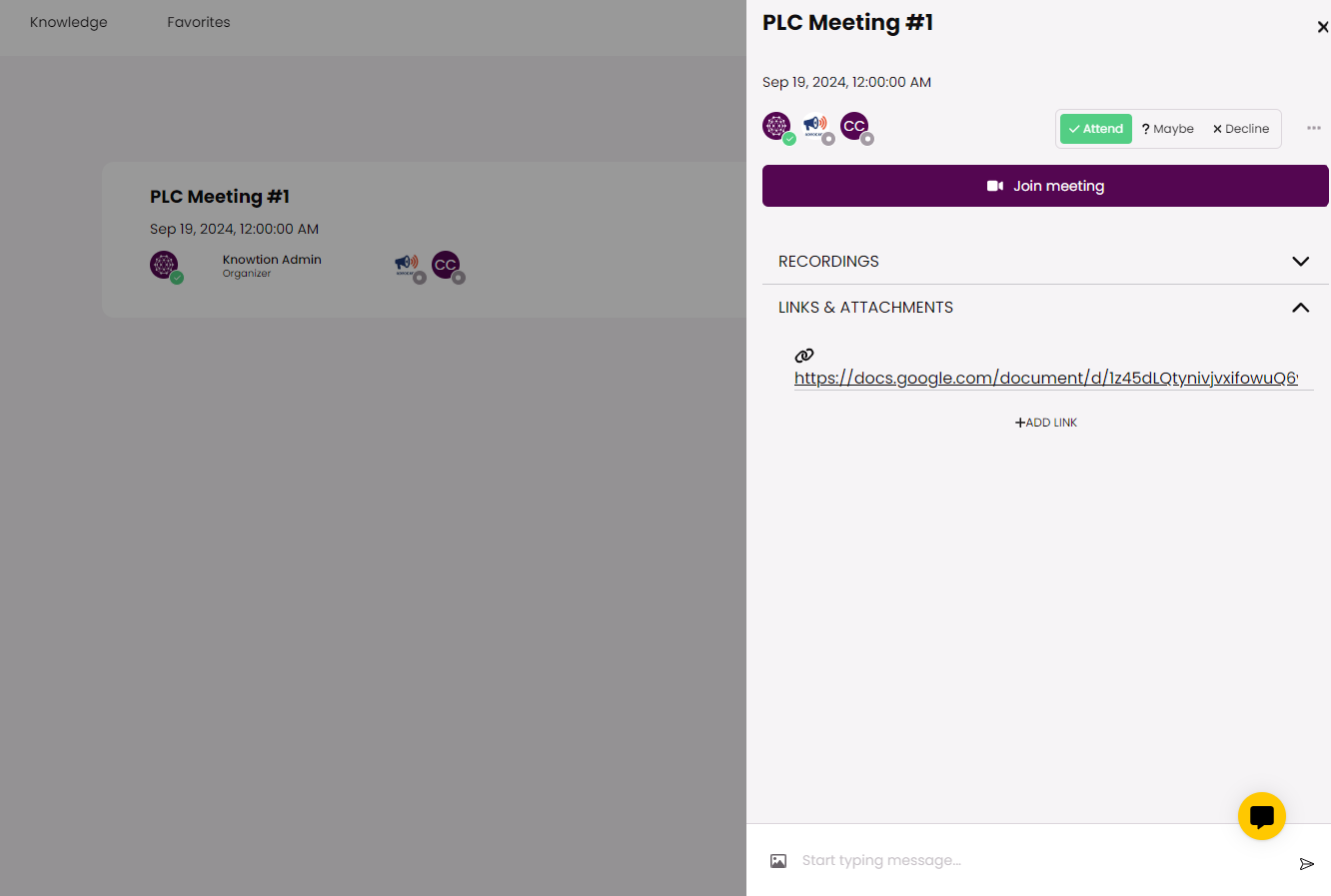
Before, During and After your meeting, participants can use the chat to
Respond to prompts
Ask questions
Catch up on anything they missed if they were not in attendance
Knowtion automatically stores meeting chats that occur in Knowtion so team members have access to chats after meetings have occurred. Simply click on 'Past meetings' to access the recordings, links, attachments, and chat for any past meeting.
